How to Delete Your WPORT 職航站 Account (App and Web)
How to delete your WPORT 職航站 job seeker account yourself, in the iOS or Android app or on the website. If you still own a company on WPORT, transfer or delete it first.
This page explains how to delete your WPORT 職航站 account. It applies to job seeker accounts on the WPORT 職航站 app (iOS and Android) and on the website wport.me. Both use the same account, so you only need to do it once, in either place.
Deleting your account also deletes your profile, resumes, application history and saved jobs. This cannot be undone.
Before you start: do you still own a company?
If your account is also the owner of a company on WPORT, transfer the company to another member or delete the company first. Only then can you delete your personal account.
Delete your account in the app (iOS and Android)
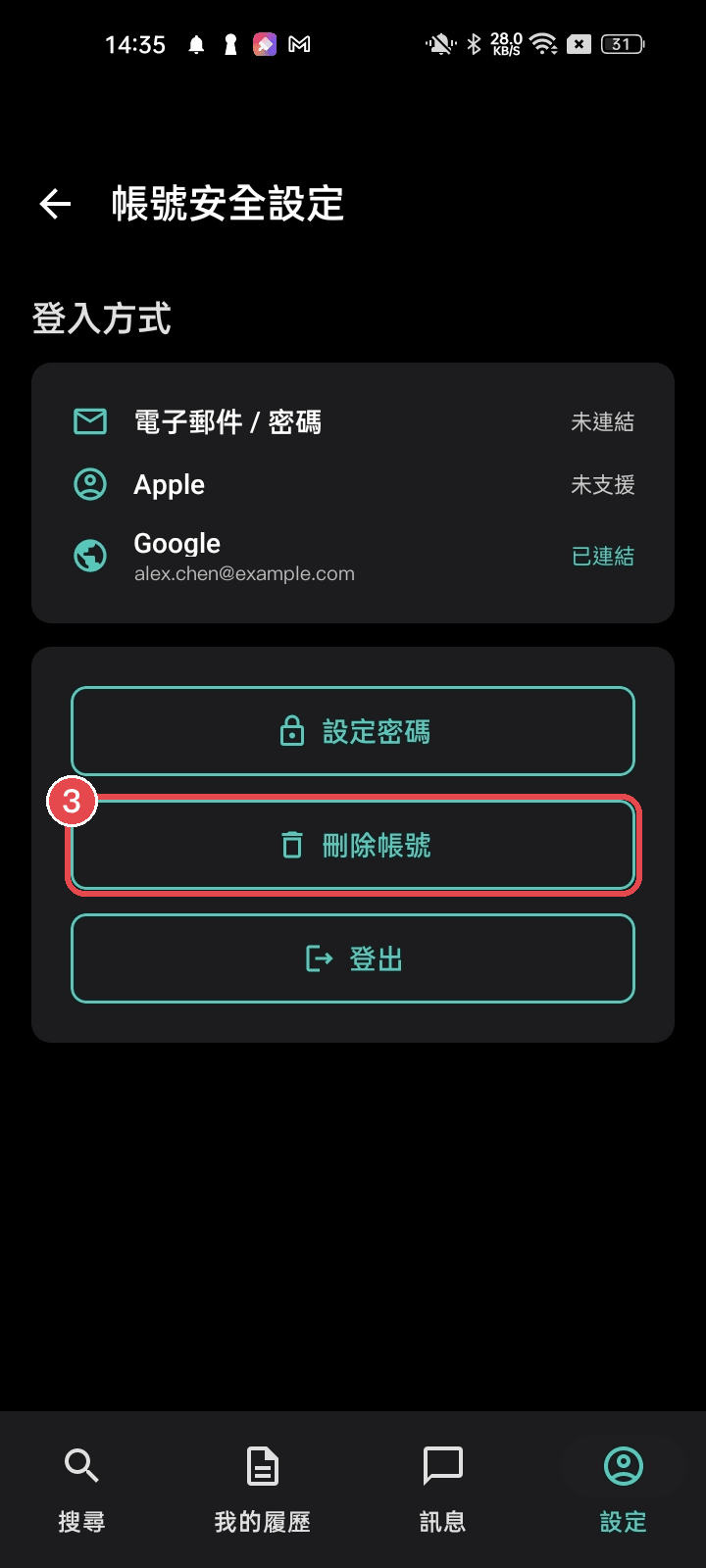
- After signing in, tap the Settings icon in the bottom right corner
- Tap Account Security
- Tap Delete Account and follow the on-screen confirmation
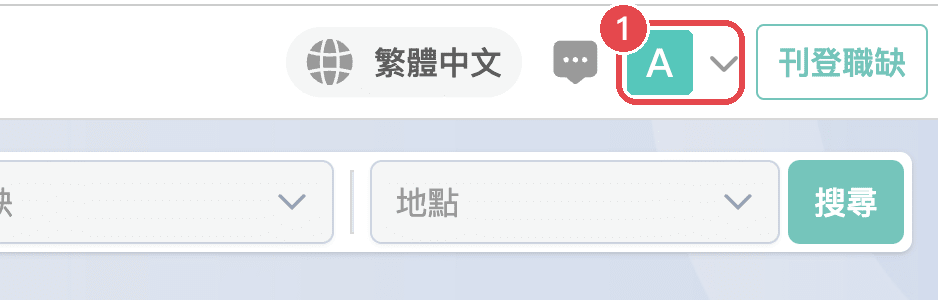
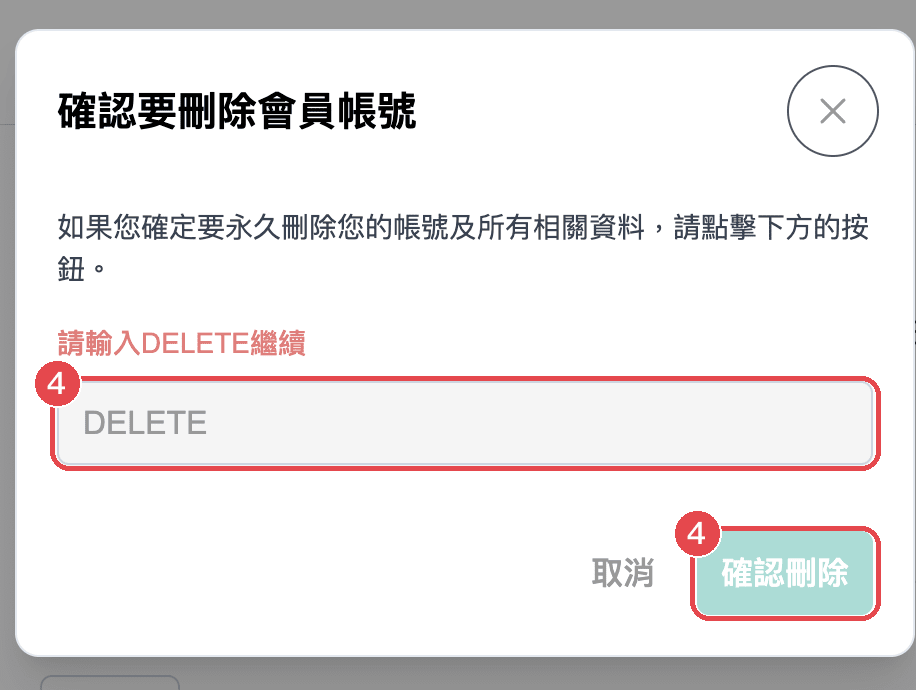
Click any image to zoom in. Red boxes show where to tap, and the numbers match the steps above.
iOS
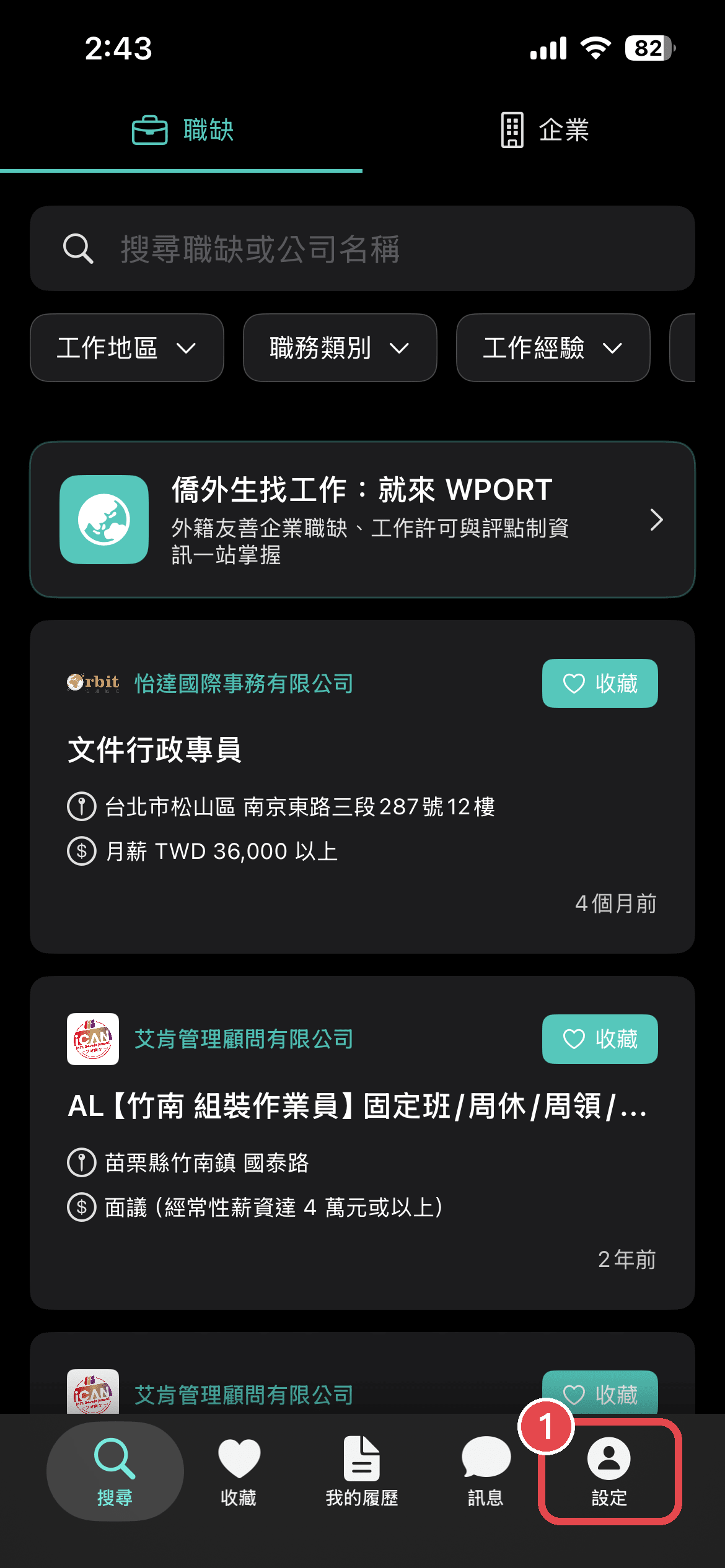
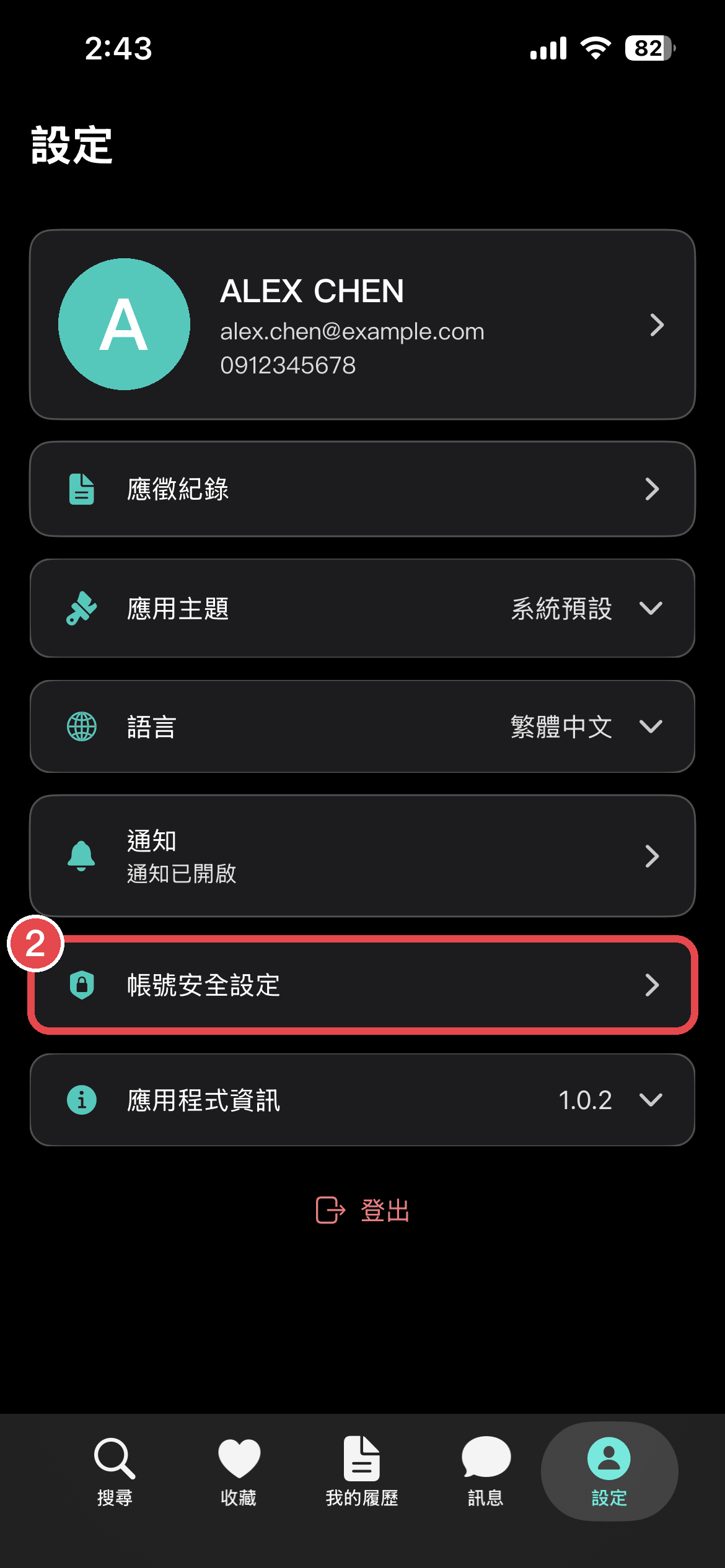
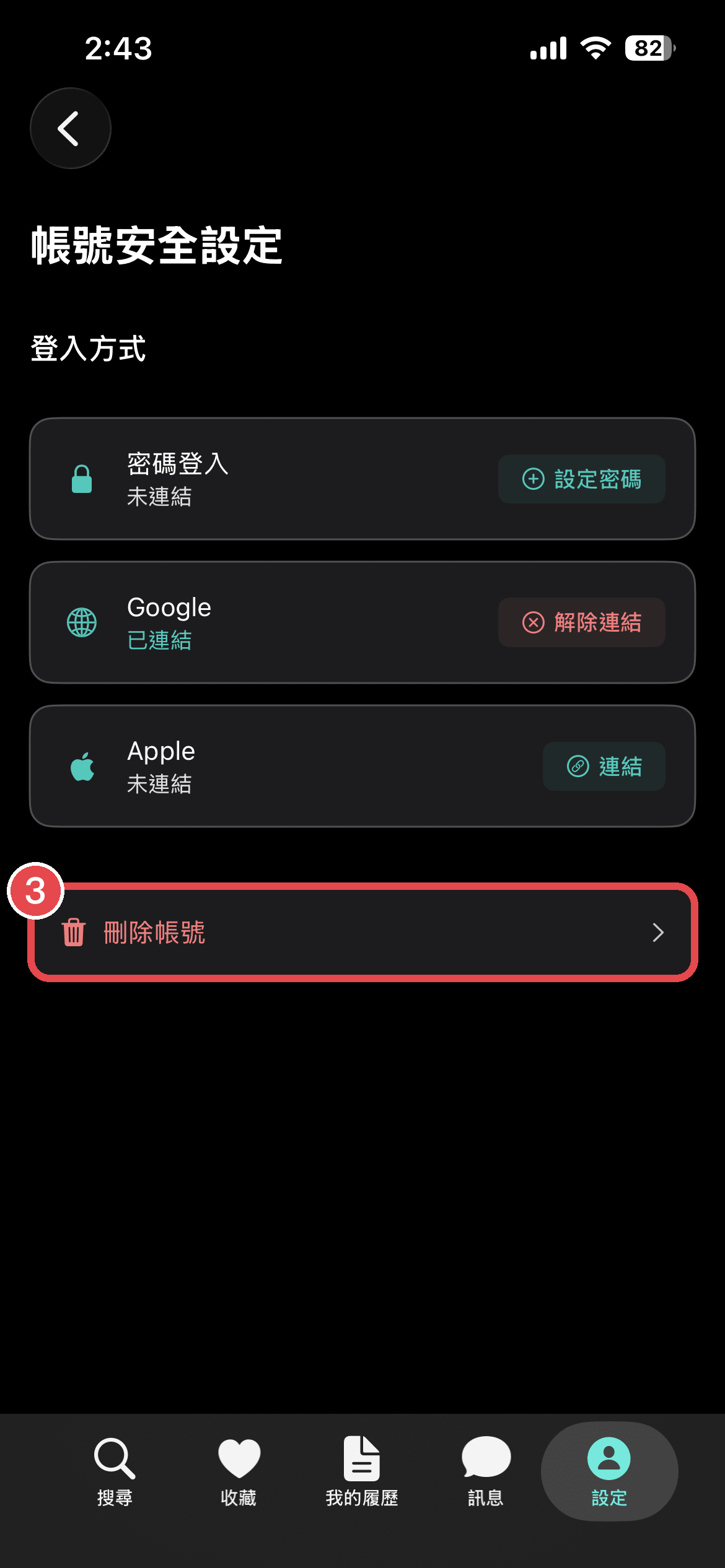
Android
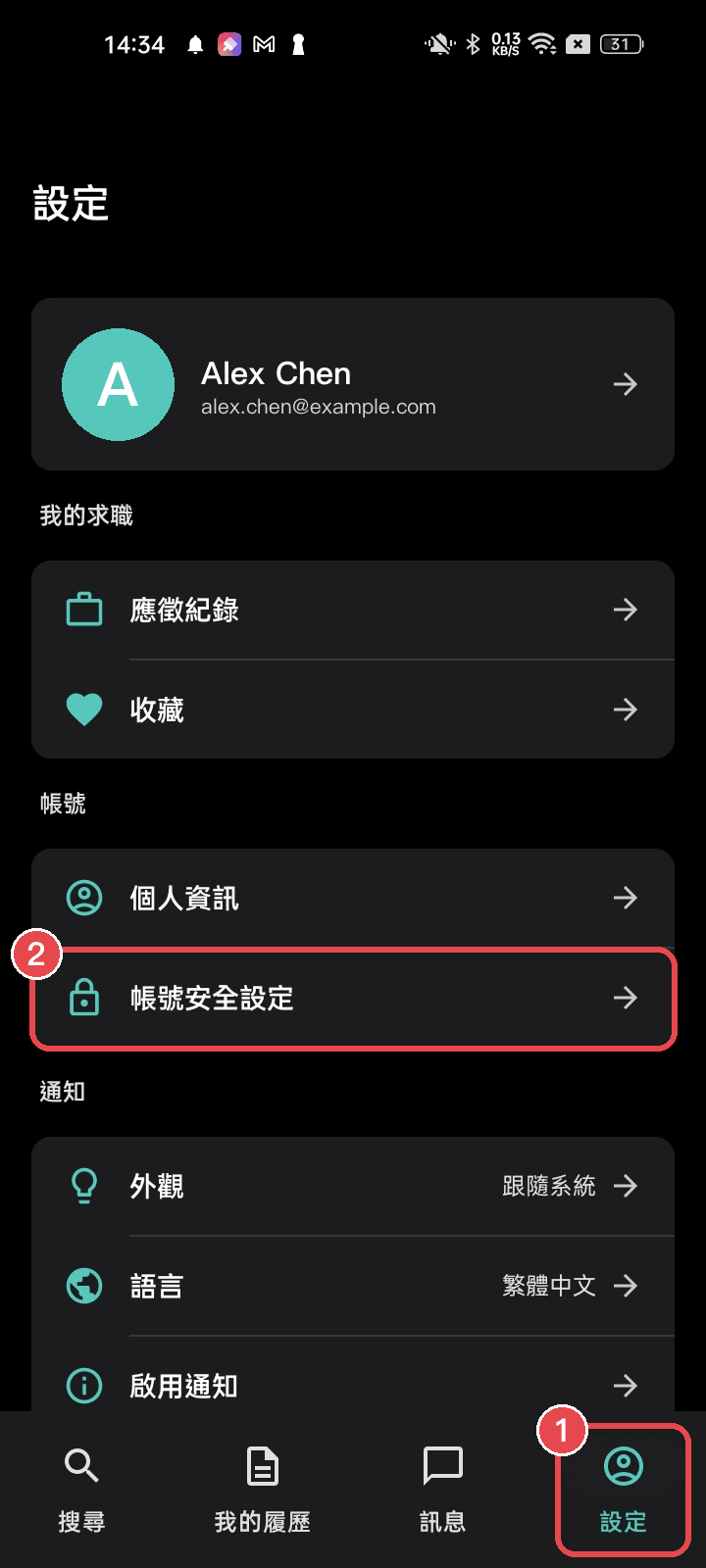
Delete your account on the website
- Sign in at wport.me and click your profile picture in the top right corner
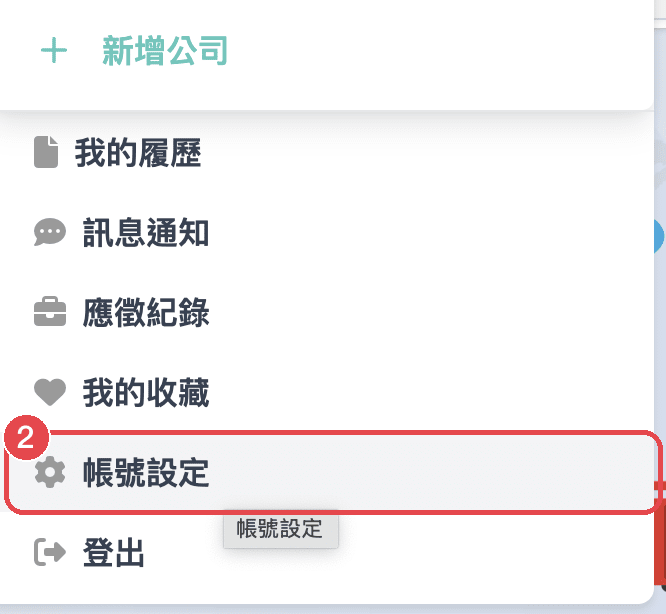
- Choose Account Settings from the drop-down menu
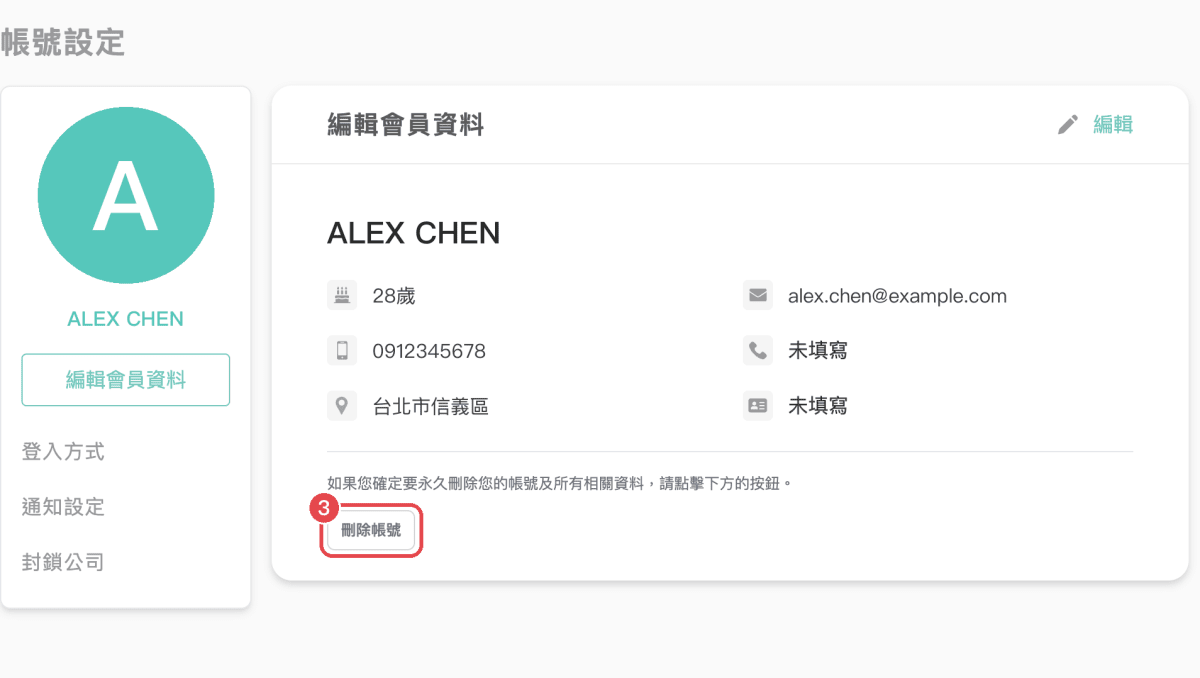
- At the bottom of the page, click Delete Account
- Type
DELETE, then click the confirm button
You can also go straight to the Account Settings page after signing in.
How your data is handled
For how we handle your personal data after your account is deleted, see our Privacy Policy.
Need help?
If you can’t sign in, can’t find the delete button, or would like us to delete your account for you, email support@wport.me and include the email address you signed up with.